This week’s ‘AOTW’ comes from Stephanie (OLSP, S5). Stephanie created this fabulous design with Mrs Nicholson for her Higher Design Unit. She worked with me on the final piece, creating the idea using Photoshopping techniques. It was amazing to see Stephanie learn the application within hours of tutoring. Something that had taken me weeks, even months to learn, was grasped by her in under a day. Remarkable work from a remarkable student.
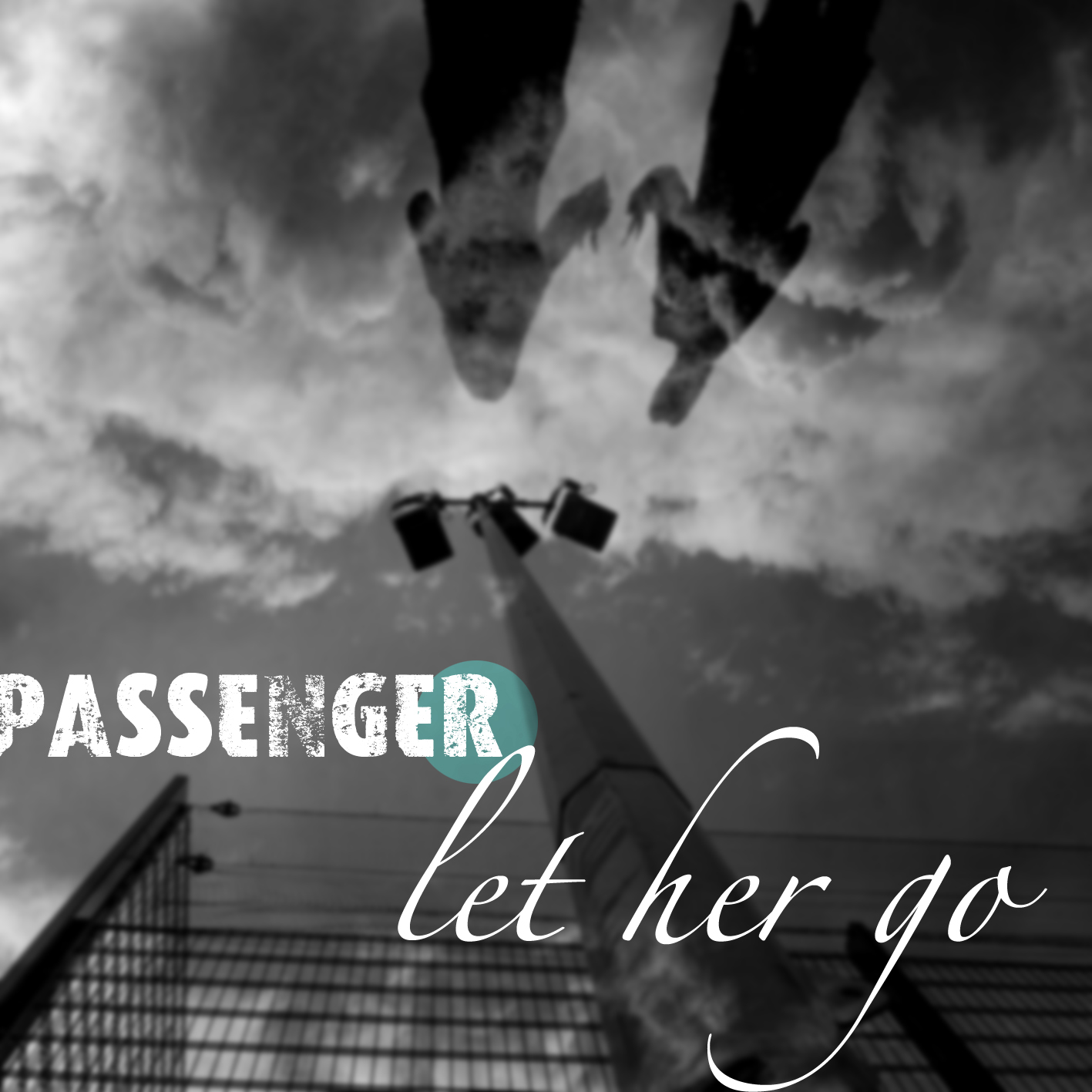
This week’s AOTW comes from Hanna M (S5,OLSP), I’d shown her work around a year ago. It’s developed a lot since then. She’s currently working toward finishing her expressive and design units for her higher. The image above is actually her final piece for her design unit. It’s based around a book cover design on ideas that she has developed herself. Hanna uses her drawings and her creations in Photoshop via a graphics tablet to produce her work. This gives her work an incredible finish, one of the most professional I have ever seen for someone her age.
You can follow her through her Deviant Art Profile:
The Art Four has put it’s ‘Tam O’Shanter’ animation up on Youtube for public access. Created by Miss McInnes and her S1 (OLSP) classes, it a tremendous feat of Photoshop Stop-animation. If anyone has ever tried movement or animation in Photoshop, you’ll understand how fantastic this short is, if you haven’t tried, you’ll still see how amazing it looks. My apologies on the narration… I tried my best.
I have finally finished the book I made with pupils from Lochgilphead Joint Campus. It’s full of wonderful digital imagery and quotes from the S3 pupils. It’ll be on show at the Scottish Learning Festival 2010 accompanied by short films of the images and text. I am very excited about it.
This week’s Artwork of the Week is an incredibly strong image composed by Samantha-Jane L (Lochgilphead, S3). The image has been created for Argyll & Bute’s presentation at the Scottish Learning Festival. Samantha, along with sixteen other classmates have been involved in a series of digital workshops with me to create a Blurb book and some short films.
Samantha was able to conceive her idea very quickly, planning and prose was completed within ten minutes. She then proceeded to paint some resource materials along with photographing some of her classmates, to use in the Photoshop composition. Her final image is incredibly detailed and strong, mixing basic painting techniques with complex Photoshop selection techniques to arrive at this dramatic and thought provoking image below. Well done Samantha.
Connor M from Oban High School is very busy indeed. Busy creating websites, busy making packages, busy taking photographs… busy, busy, busy. You would think with all this ‘quantity’ that the quality simply wouldn’t be there, but you’d be very wrong.
He is creating industry standard work while still currently studying in S5, not only is this amazing, but it’s also very annoying, he’s so young, talented and brimming with ideas. It could make you angry, he’s so good.
Spending a little time browsing through Connor’s work you’ll soon see that he has a very distinctive design style. He likes clean lines that are usually juxtaposed with a little messiness or something unexpected. It’s this combination that makes his sharp design ideas even more dynamic.
Not limited to software and design, Connor also takes a huge range of photographs, each image lingers in the viewers mind as either something a little humorous, tongue in cheek or provoking.
I am incredibly impressed by his photographs, though it’s Connor’s design work on Illustrator and Photoshop that bowls me over. His ideas and ability to design diverse and varied shapes, from dirty, grimey illustrations to simple and clean logos, is just staggering. Keep an eye on this pupil. You’re sure to see him again very soon.
I had to do a little filler lesson with some S2 pupils from the all girl school Notre Dame High in Glasgow. I decided to let them have a go at Pixlr and Glogster to learn some of the basic tools of Photoshop, an essential in any creative industry.
Lauren M attempts the above Frankenstein creation by putting a Retriever’s face onto a Chimpanzee. I guess you would call it a ‘Donkey’ or a ‘Mog’. Alexandra M creates a ‘Lady Bobo’ below.
Alexandra C G tries a similar slant with Gaga, though with a much bigger monkey below, I can’t help but laugh at this picture.
Above Cheryl G shows us her workspace using Pixlr as she creates a Justin Bieber/Pig amalgamation, while below she lets us view her workspace while using Glogster during the creation of a retro poster.
Around 1000+ people have downloaded the Peer Evaluation Sheet since I first posted it and no-one has ever said that the Star and Wish symbols do not load (not that you’d know, you’d only see a ‘Y’ and an ‘O’). The fonts are not embedded in the file and so when it was opened, if you didn’t have Wingdings or Komika fonts, you would not see the sheet as it’s supposed to look.
I’m fairly annoyed at this, at myself and at the down loaders for not even giving me a hint or some feedback.
I now have changed the file from a .Doc to a .jpeg so you will view it as I had created it. Many apologies.
The file of course is available at the bottom of the right hand column in ‘The Box’ with all my others downloads.
Kayleigh M from St Benedicts (S1) provides this week’s ‘AOTW’. She created a coloured study of a woodlice in a single period. Her drawing was then selected in photoshop and placed on a Google Images found photo of soil. I added some shadowing to the insects to make them appear more realistic and be part of the scene.
Gary M (S4) did not enjoy Intermediate Art, he was expecting an easier course and did not keep his interest and enthusiasm for the subject. After deciding that the course was not for him, he had a lot of spare time on his hands, so instead of wasting it, he decided that he would try and create works around his interest; Graffiti. He spent a lot of time making stencils and using paint and toothbrushes to simulate spray paint. He also brought in some drawings from home. These drawings were scanned and placed into photoshop to arrange them onto wall backgrounds. This method allows you to produce graffiti effects without actually having to damage property.
This art class blog shows the day to day workings of an art classroom. All pupil work shown is copyright of the pupil. Unit plans and ideas are owned by David Dunlop, but can be used or changed for your own classes.
Pupils are advised to comment using Surname initial only (ie: 'Jane D'). If you require the removal of work or comments, please email the contact below. This blog is not exclusive to David Dunlop's classes and other work/resource submissions are very welcome.
David Dunlop is available for workshops and other professional creative work. If you would be interested in hiring him for an event/project, email below for a resume and a quote.
@DarrenMcNaney sorry I couldn't make it Darren. Ended up falling asleep over my computer while trying to do reports. Which is why I'm up now 1 day ago
@rararaco but the question is... How good is he at making toast?! :-D Hahahahaha... 2 days ago
@rararaco I can't seem to see these Rachel? I think I need to friend you... Get ready to be stalked to within an inch of your life... :-/ 2 days ago
@rararaco yeah... I always get that too... I think I see myself in a mirror and it ends up being your manager staring back... Quite scary... 2 days ago
The application below is not available on iPhone. It contains flash and will be displayed as a mysterious blue lego block or maybe even a blank space. I wouldn't worry though, you're not missing too much.